ClaudeDigestHUD
Every Claude Code session you ran today, on one dark screen: tokens and dollars by model, the folders you worked in, the diffs, commits and pull requests. It tells you where the tokens went to waste. A dithered anchor reads it out loud, and you can talk back.
One take, no edits
Switching themes by voice, a spoken briefing, a commit diff, and a Claude Code permission prompt approved by voice. The prompt goes through the real hook relay.
Reads what's already on disk
Claude Code writes a transcript for every session. The HUD parses those files, walks each folder with git, and listens on localhost for hook events from sessions that are running right now. It never talks to Claude.
~/.claude/projects/**/*.jsonl incl. subagentslog, show, diff HEAD for every folder touchedoptional token · PR state, reviews, your PRsClaude Code → relay.js → 127.0.0.1:47821- Dedupes usage by message and request id
- Prices each call per model
- Runs the optimizer and live alerts
- Builds the anchor's briefing
- Speech in and out via Windows SAPI
frameless · 6 themes · any day in the calendardaily digest at 18:00 · finished · needs youHTTPS on your LAN · Quest browsernpm run scan → today's digest in the terminalDays, not sessions
Everything is grouped by your local calendar day. Step back with ← or pick a date; past days are cached, today rescans live.
Subagents count
Subagent transcripts are folded into their parent session, so a broad search that ran on Opus shows up in the cost.
Cache-aware cost
Cache reads, 5-minute writes and 1-hour writes are priced separately. That's where most of a long session's money goes.
Folders become repos
Every working directory is mapped to its git root. Commits are matched to the day's time window, and uncommitted changes are diffed against HEAD.
Your day, itemised
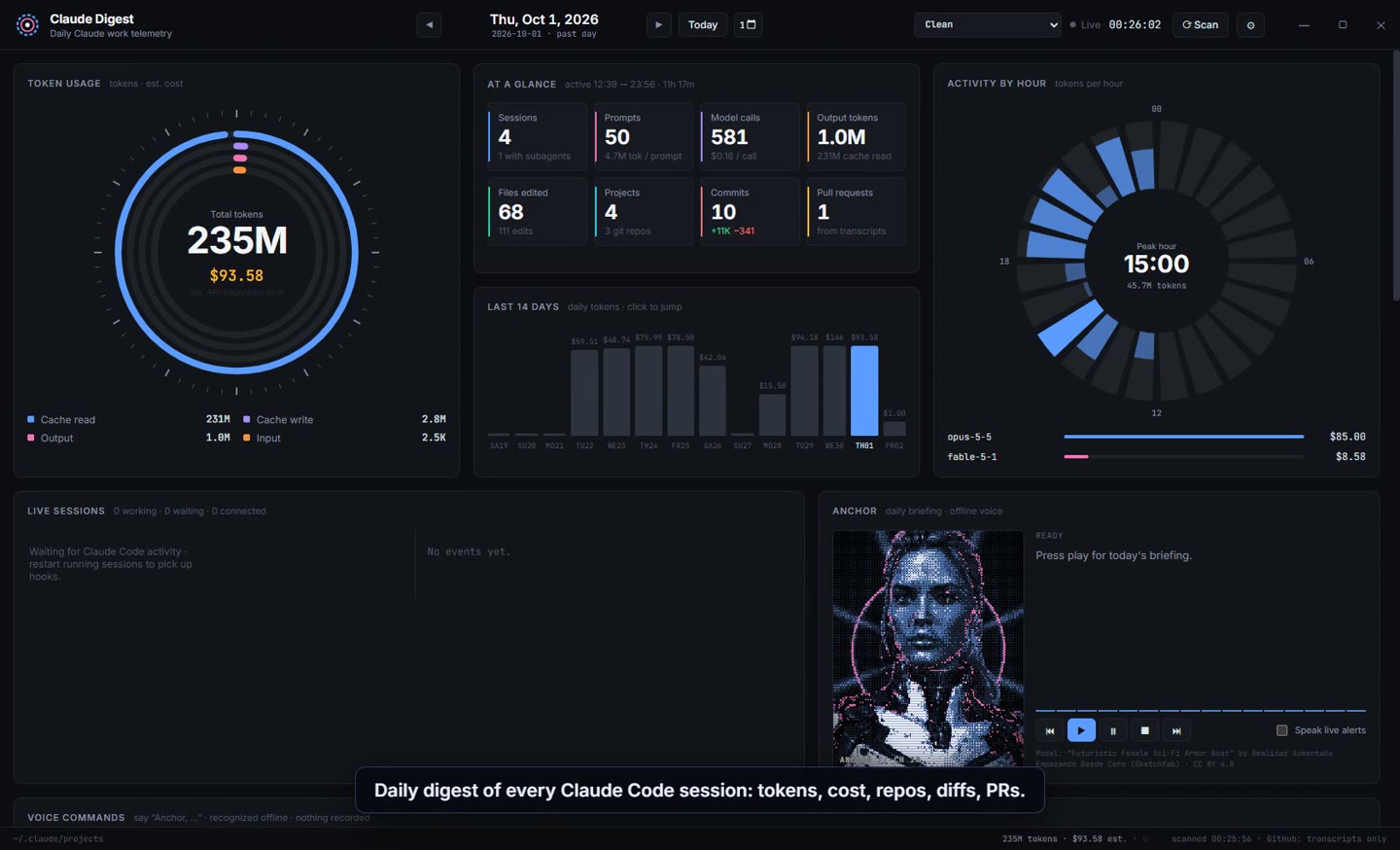
The overview answers how much and where. Every panel drills down: click a session on the timeline, a project in the sectors list, or a commit in the detail tabs.
Usage by model
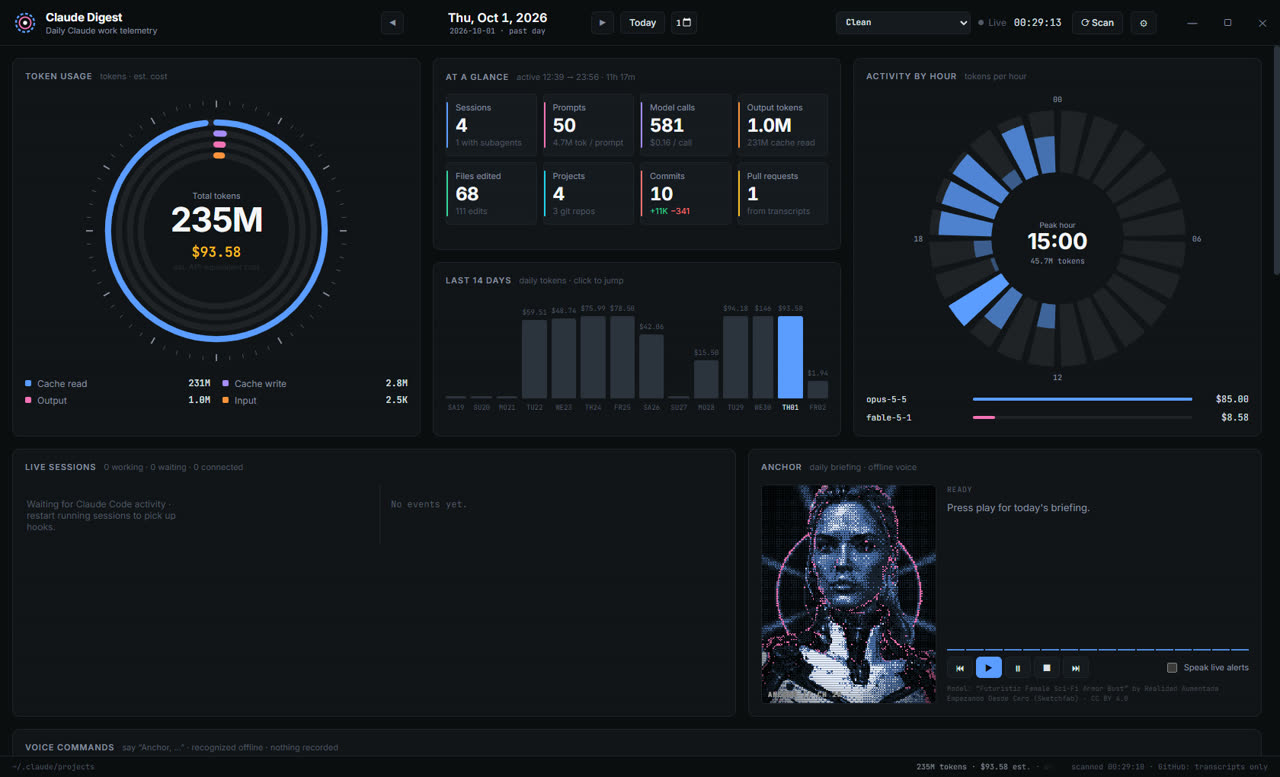
A reactor ring for the day's total, split into input, output, cache reads and cache writes, with a cost bar for each model.
At a glance
Sessions, prompts, model calls, output tokens, files edited, projects, commits and pull requests, with the first and last activity of the day.
Last 14 days
Daily tokens and cost as bars. Click a bar to jump to that day. An hourly dial shows when you worked and the peak hour.
Session timeline
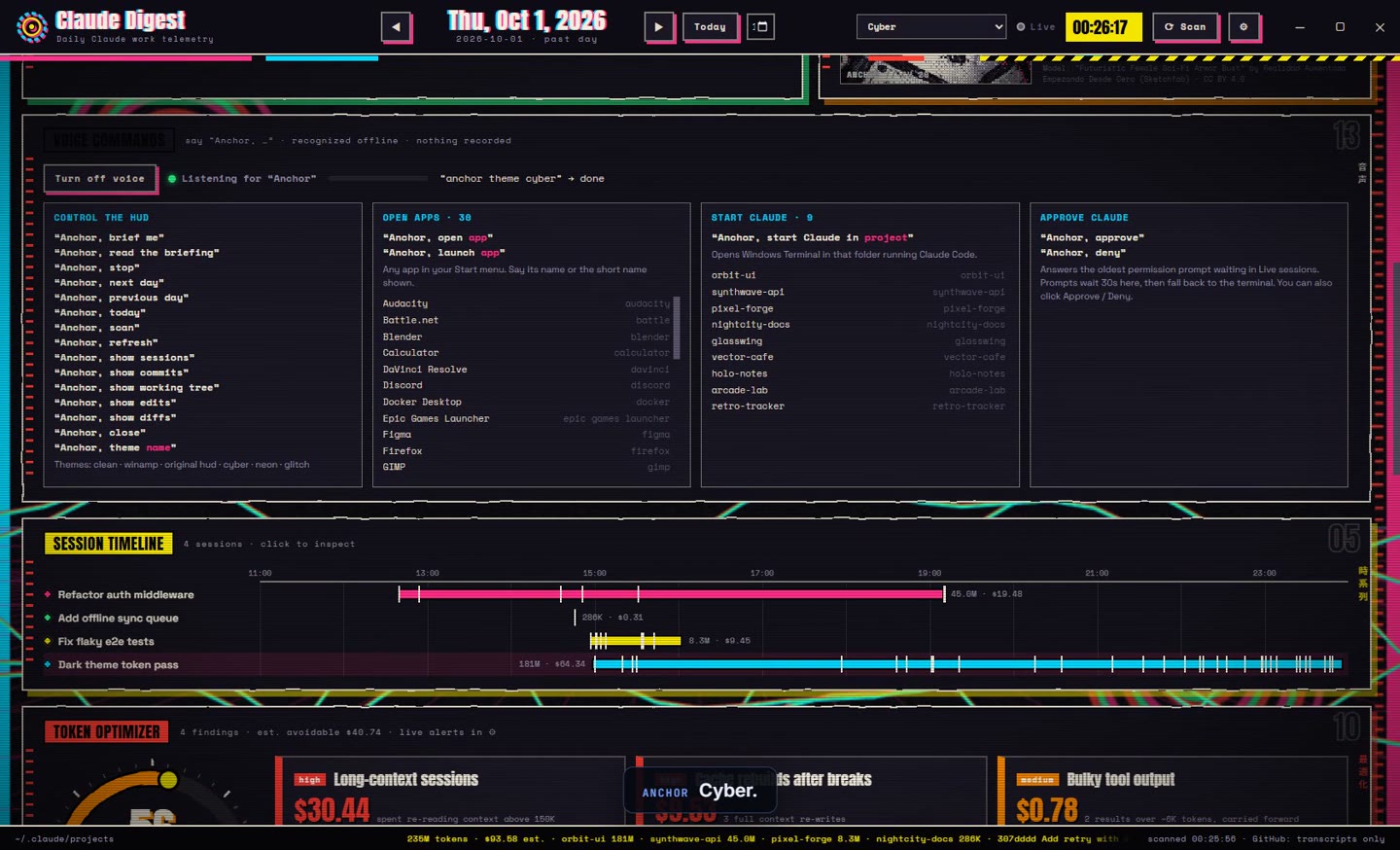
Every session laid out across the day, with tick marks for each prompt and its tokens and cost at the end of the bar.
Diffs and commits
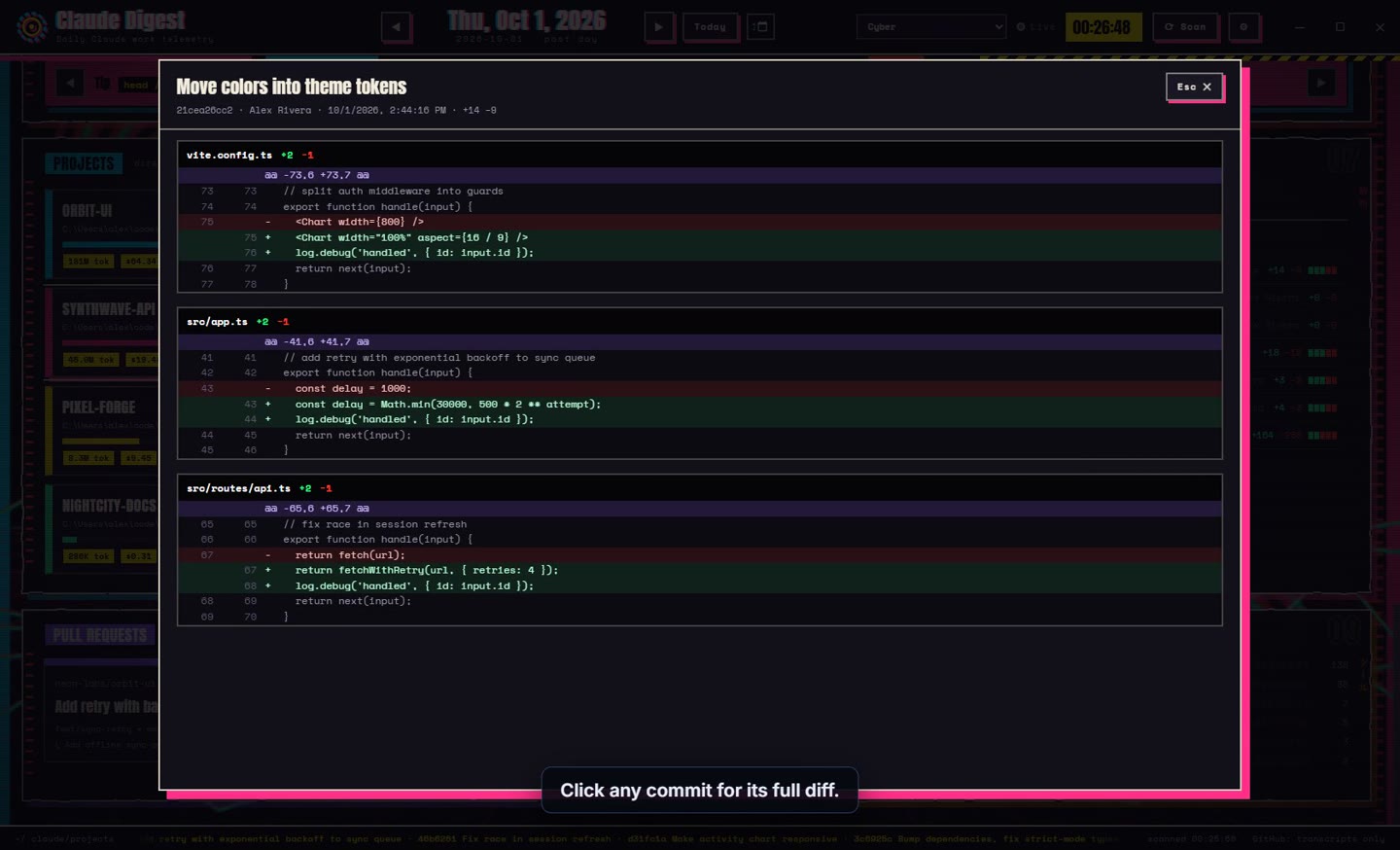
Tabs for sessions, commits, working tree and Claude's own edits. Commits co-authored by Claude are marked. Click any commit for the full unified diff.
Pull requests
PR links from your transcripts. Add a GitHub token and the HUD fills in title, state, size and branches, and also finds PRs you opened that day.
Tool mix
Which tools Claude reached for (Bash, Read, Edit, Grep, web search, MCP) and how often, across the whole day.
Live sessions
Hook events show which sessions are working, waiting or idle right now, with a running feed of prompts, finishes and compactions.
Bottom ticker
A scrolling line of the day's tokens, cost per project, commit subjects and PRs, so the headline numbers are always on screen.
What a token costs
On a subscription you don't pay per token, but the API price is the clearest way to compare sessions and spot waste. Cache writes cost 1.25× input for 5 minutes and 2× for an hour. Fast mode doubles everything.
| Model | Input | Output | Cache read | Write 5m | Write 1h |
|---|---|---|---|---|---|
| Opus 5.5 | $4.00 | $20.00 | $0.20 | $5.00 | $8.00 |
| Sonnet 5.5 | $2.00 | $10.00 | $0.20 | $2.50 | $4.00 |
| Fable 5.1 | $10.00 | $50.00 | $0.25 | $12.50 | $20.00 |
| Opus 5 / 4.5–4.8 | $5.00 | $25.00 | $0.50 | $6.25 | $10.00 |
| Sonnet 5 | $2.00 | $10.00 | $0.20 | $2.50 | $4.00 |
| Haiku 4.5 | $1.00 | $5.00 | $0.10 | $1.25 | $2.00 |
Where the tokens leaked
Each day gets an efficiency score out of 100. Each finding comes with a dollar figure, the sessions it applies to, and the command that fixes it.
| Finding | Fires when | Fix |
|---|---|---|
| highLong-context sessions | Sessions run above 150K context, so every turn re-reads it | /compact past ~200K, /clear between tasks |
| highCache rebuilds after breaks | A big session resumes after the cache expired and re-writes it all at 2× | /compact before a break, or the cache-expiry alert |
| medBulky tool output | Large results stay in context for every later turn | | tail -50, ranged reads, a subagent |
| medSubagents on Opus | Search subagents inherit the main premium model | model: sonnet in agents/*.md |
| medQuick tasks on a premium model | 3+ short sessions (small context, ≤3 edits) on Opus or Fable | /model sonnet for small fixes |
| lowSame files read repeatedly | A file is read 5+ times in one session | Point at a function or line range |
| medLow prompt-cache hit rate | Under 85% hits on a day over 2M tokens | Keep model, MCP and CLAUDE.md stable |
| highDaily budget | Past 50%, 80% and 100% of your budget | Wrap up long sessions, move to Sonnet |
- Est. avoidable
- $38.80
- Share of spend
- 45%
- Cache hit
- 98.7%
- Findings
- 3
Live alerts while you work
Past ~150–200K context, /compact keeps the decisions and drops the noise. Add focus: "/compact keep the API design and open TODOs".
Say “Anchor,” and the rest
The listener only acts on phrases that start with the wake word, and only on phrases it knows. It builds that list from your Start menu and the folders Claude has worked in, refreshes every 30 minutes, and ignores anything it hears below 60% confidence.
Control the HUD
Anchor, brief me
Anchor, stop
Anchor, next day
Anchor, show diffs
Anchor, theme name
Open apps
Anchor, open Spotify
Anchor, open Chrome
Anchor, launch Discord
Start Claude
Anchor, start Claude in orbit ui
Anchor, start Claude in pixel forge
claude.Approve Claude
Anchor, approve
Anchor, deny
The briefing, segment by segment
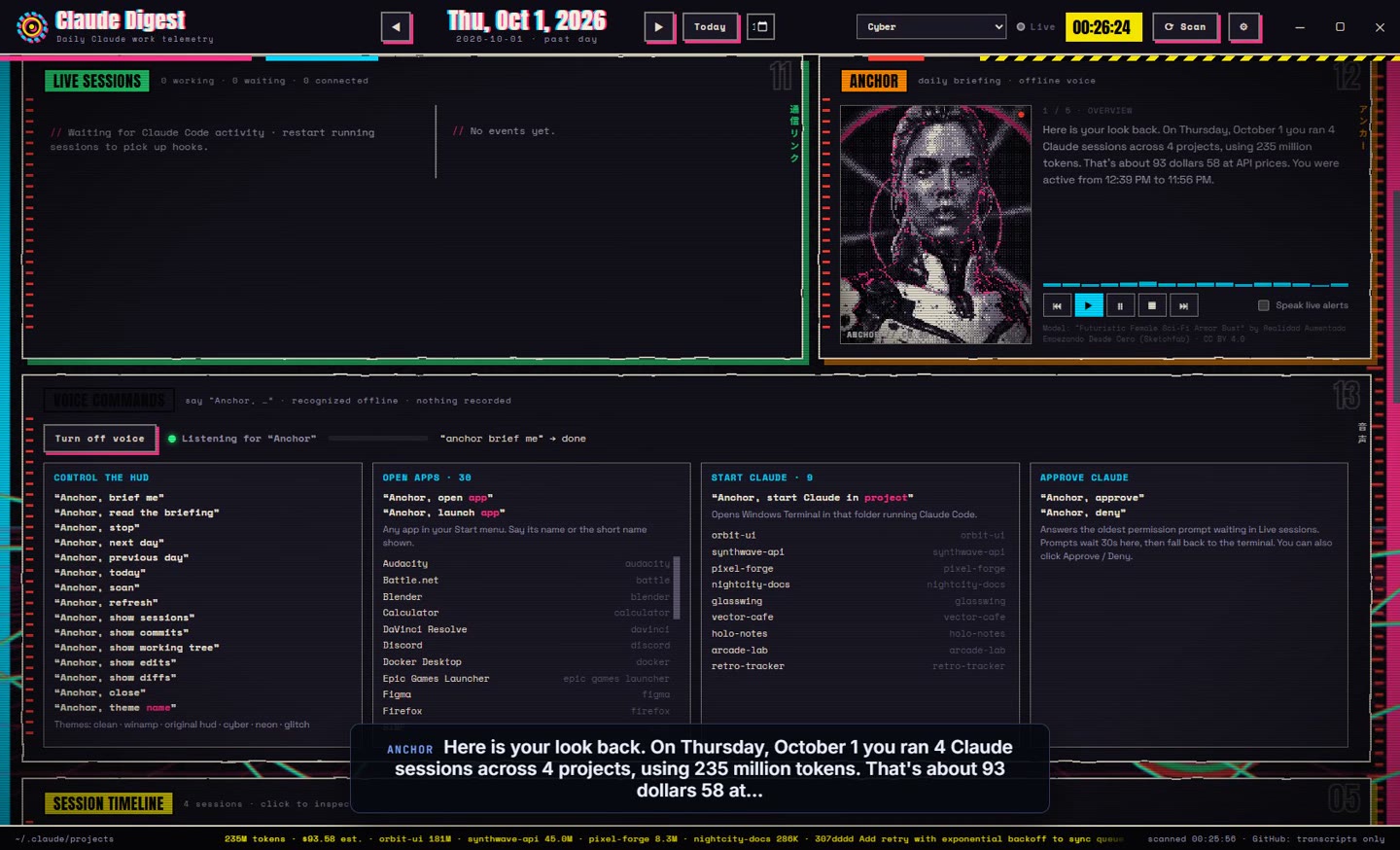
Press play or say “brief me”. The anchor reads the day in short segments, with the caption highlighted word by word and her jaw moving on the beat. Speak live alerts and a spoken digest at your notify time are optional.
Approve Claude from across the room
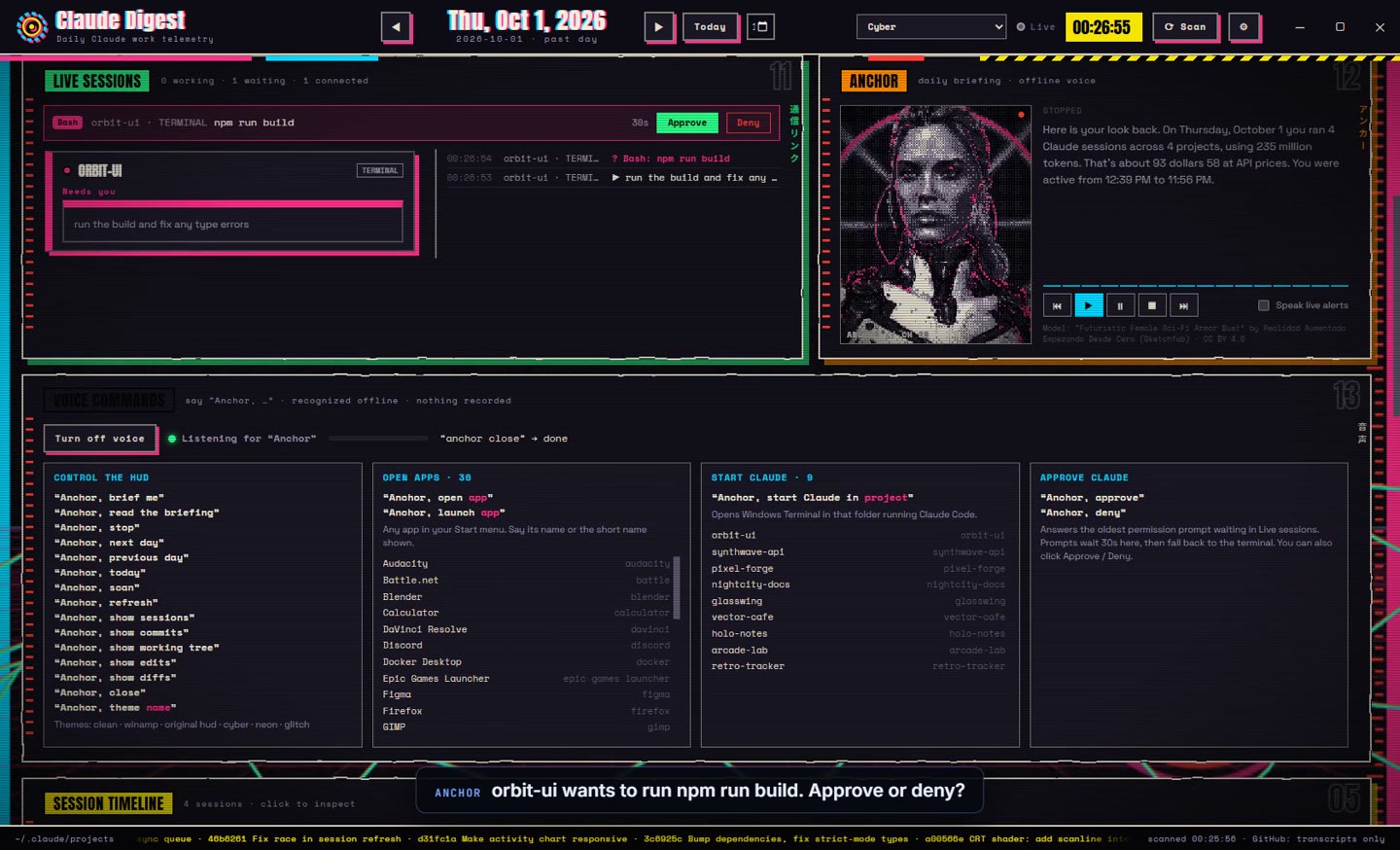
When Claude Code wants to run a tool, the prompt lands in the HUD with a countdown, a toast pops up, and the anchor asks out loud if voice is on. Click, or say it. If nobody answers, Claude Code shows its normal prompt, so a session never gets stuck.
PermissionRequest · Bash: npm run buildPOST 127.0.0.1:47821/hook · x-hud-keyapproval strip · toast · anchor asks“Anchor, approve” or click# relay.js stdout → Claude Code (try the buttons)
waiting for an answer…
HUD closed?
The relay can't connect, exits at once with no output, and Claude Code asks in the terminal as usual.
Several waiting?
Each gets its own row and countdown. Voice answers the oldest first; clicks answer the one you click.
Change the wait
Set how long a prompt waits for the HUD in ⚙, from a few seconds up to two minutes. 0 turns approvals off.
Locked to this PC
The receiver only listens on 127.0.0.1 and rejects any request without the HUD's secret key.
Knows when Claude needs you
Install the hooks from ⚙ and every Claude Code session reports to the HUD, whether it runs in a terminal, VS Code or the desktop app. The installer only touches its own entries and can remove them again.
| Hook event | What the HUD does |
|---|---|
SessionStart | Adds the session to Live sessions with its folder and app |
UserPromptSubmit | Marks it working and shows the prompt in the feed |
Notification | Marks it waiting; toast “⚠ needs you” (optional) |
PermissionRequest | Opens an approval with a countdown; answers allow or deny |
Stop | Toast “✓ Claude finished” when the turn took 20 s or more |
SubagentStop | Logs the subagent finishing |
PreCompact | Logs manual or automatic compaction (context full) |
SessionEnd | Removes the session, with the reason |
Click a toast
Opens the HUD on that session's folder.
Daily digest
A notification at 18:00 with the day's tokens and cost. Pick the time, or turn it off.
Tray icon
Closing the window keeps it in the tray. Launch at login is one checkbox.
Never blocks Claude
The relay waits 0.8 s for ordinary events and prints nothing, so a closed HUD never slows a session down.
Six skins
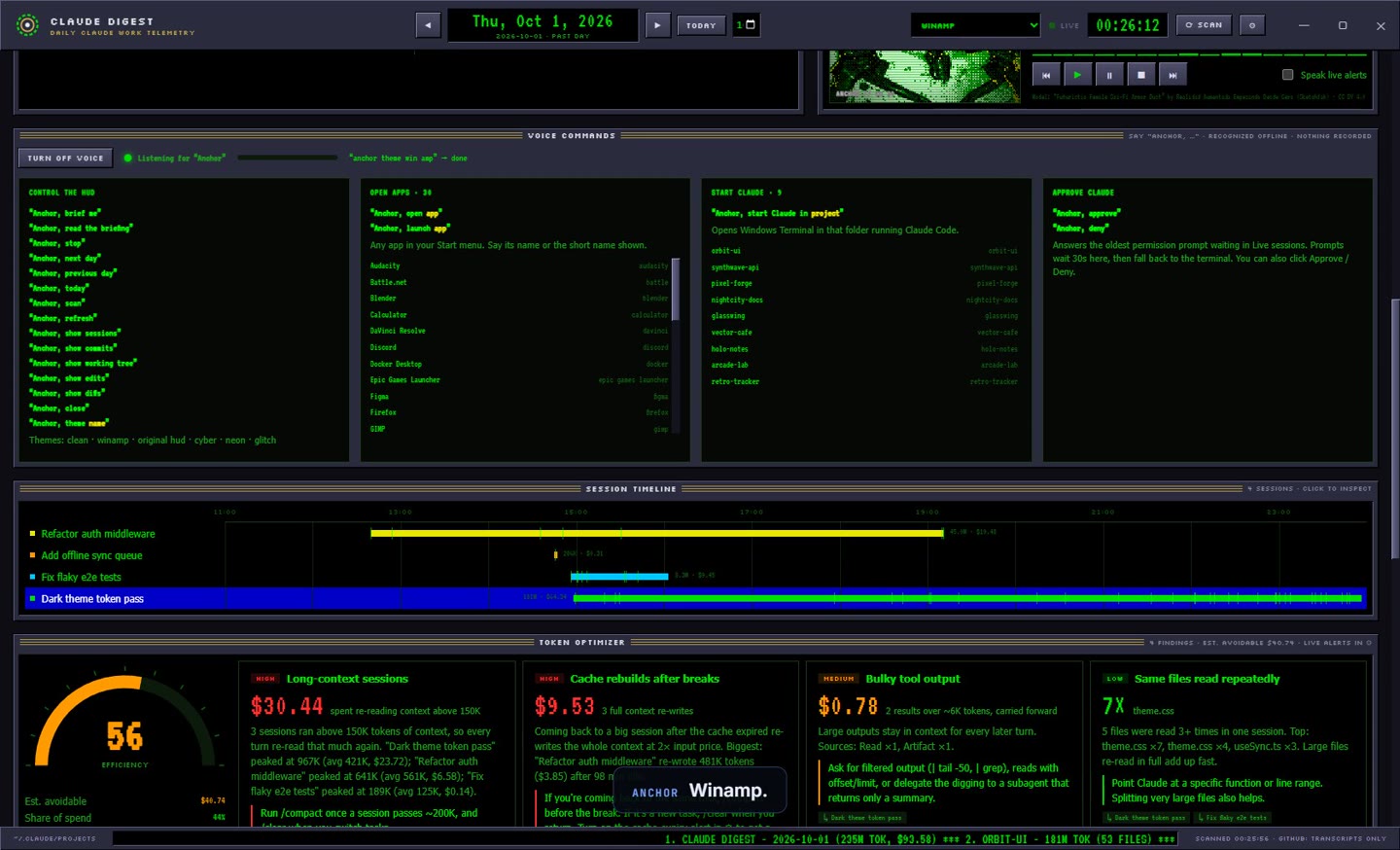
Each theme restyles the panels, gauges, background and the anchor's dither palette. Switch from the menu, with M and Shift+M, or by voice. Your pick is remembered.
Clean
Tight, quiet, data first. The default.
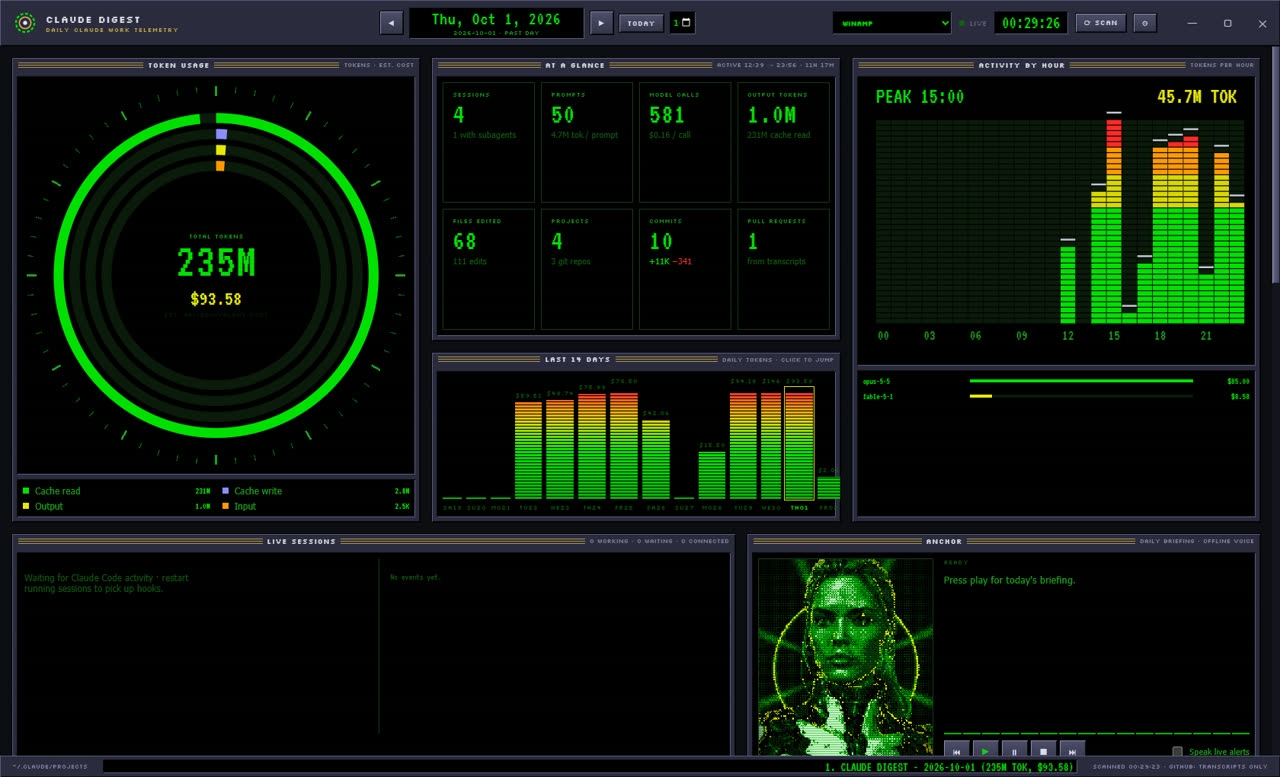
Winamp
Green phosphor, bevelled chrome and a spectrum analyser, straight out of 1999.
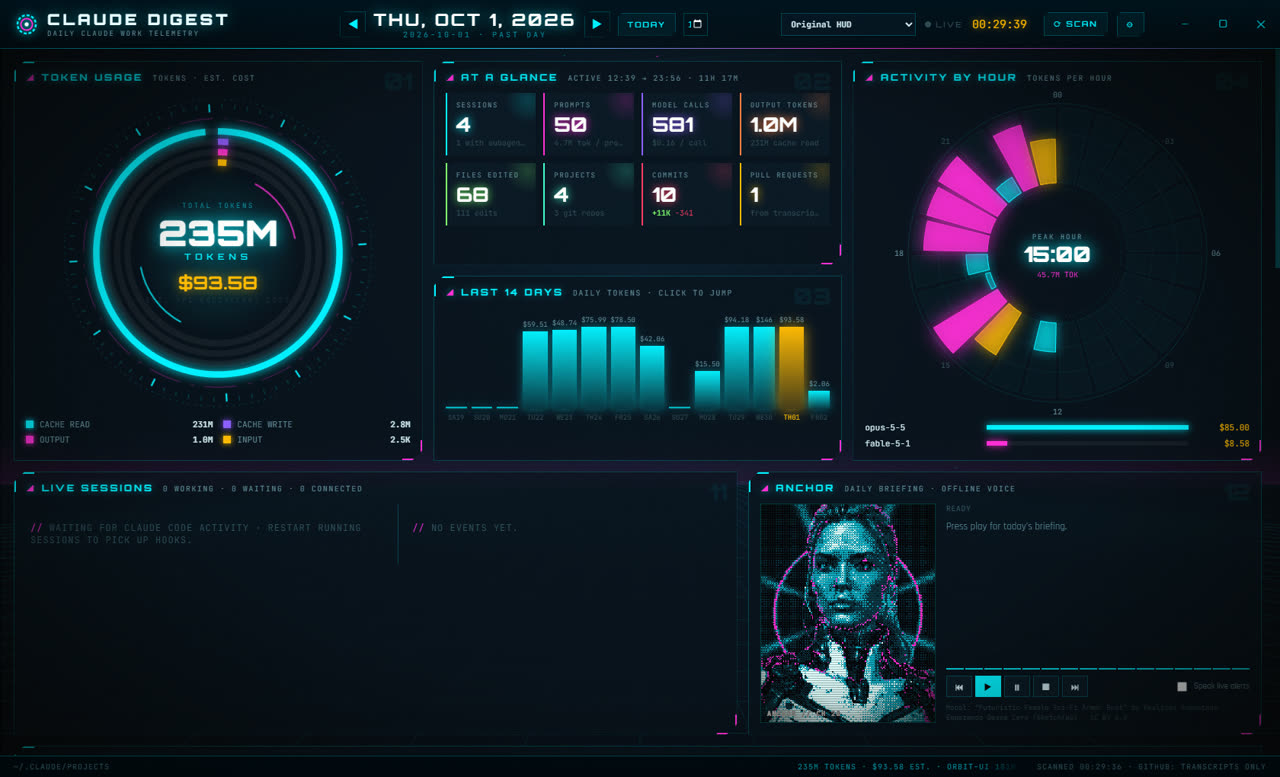
Original HUD
Cyan reactor rings, spinning dials, Orbitron type.
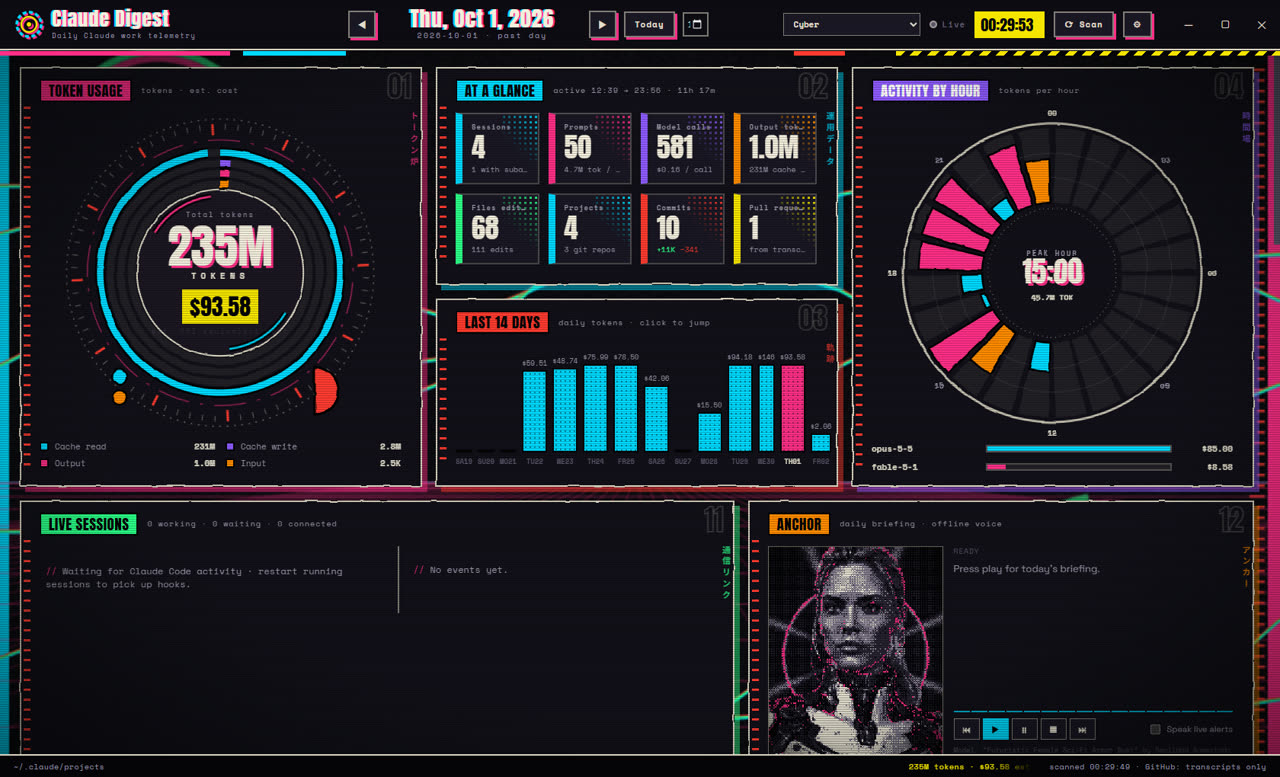
Cyber
Ink outlines, hazard tape, yellow tags and Japanese labels.
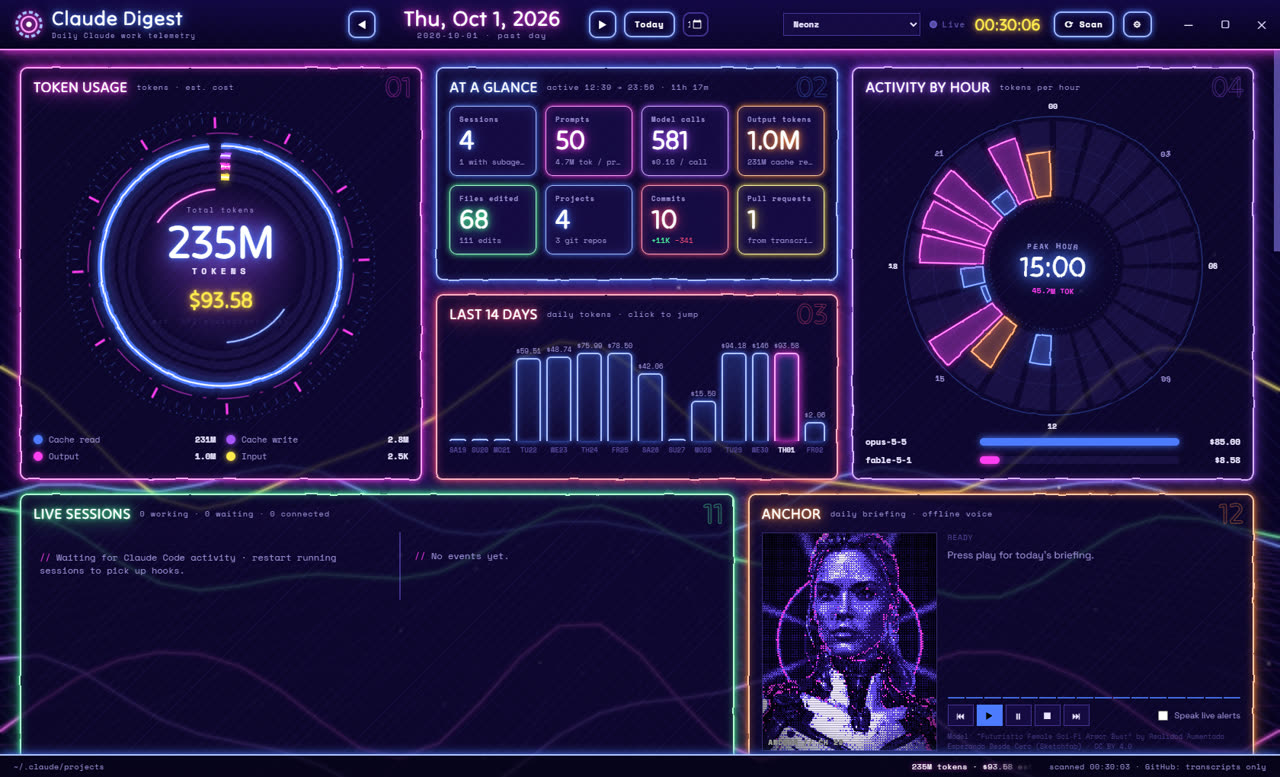
Neonz
Ultraviolet comic-book print with glowing outlines.
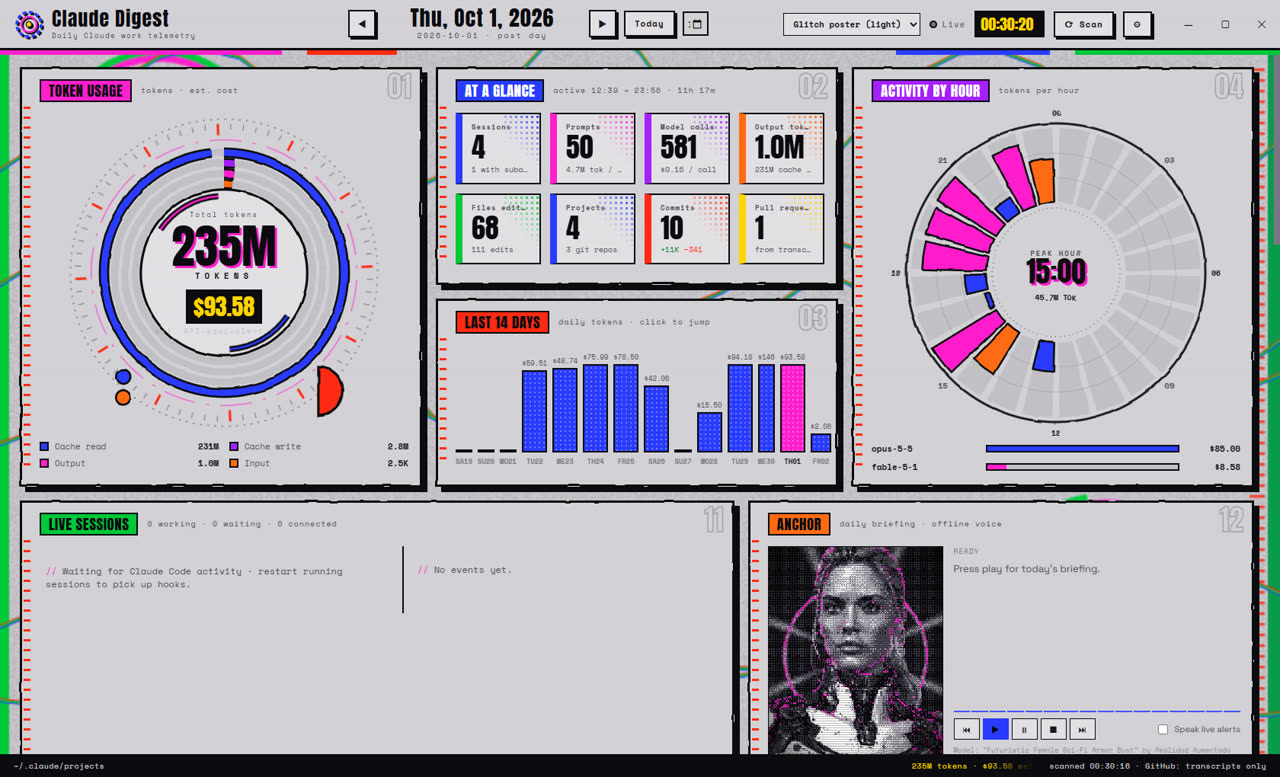
Glitch poster
White poster stock with hot pink and electric blue overprint.
The same HUD, wrapped around you
The real HUD renders offscreen on your PC and streams to a curved screen in the headset, so what you see in VR is exactly the desktop app, in whatever theme you picked.
- Tick “Serve the VR room to my headset” in ⚙. The short link and access code appear right there.
- Open the link in the Quest browser and accept the self-signed certificate once.
- Tap “Enter VR”. Point with a controller ray or pinch to click; the thumbstick scrolls.
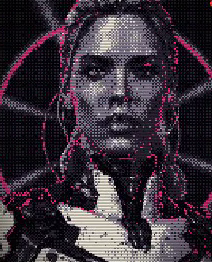
- AnchorThe 3D bust stands on a pedestal to your left and speaks through the headset, jaw moving with the audio.
- AccessHTTPS on port 47830, locked to your network with a six-character code you can regenerate.
- DiagnosticsSettings show the last headset that connected and any rejected attempts.
Every switch
Settings and their defaults
| Setting | Default | What it does |
|---|---|---|
| Daily notification | 18:00 · on | Toast with the day's totals |
| Launch at login | off | Starts hidden in the tray |
| GitHub token | none | Enriches PRs; never shown to the window |
| Live alerts | on | Context and cache warnings for running sessions |
| Context alert at | 300K | Then every +200K |
| Cache-expiry alert | on | Warns before a big session's cache lapses |
| Daily budget | $0 · off | API-equivalent cap for budget alerts |
| Toast when Claude finishes | on · ≥20 s | Only for turns at least this long |
| Toast when Claude needs you | on | Permission and input requests |
| Voice commands | off | The offline “Anchor, …” listener |
| Spoken replies | on | The anchor answers commands out loud |
| Approval wait | 20 s | How long a prompt waits for the HUD; 0 = off |
| Anchor voice & rate | Zira · 1.0× | Any installed Windows voice |
| XR room | off · 47830 | Serves the headset view on your LAN |
Claude tokens
It reads transcripts already on disk. Running the HUD never calls Claude.
Audio uploaded
Speech recognition and the anchor's voice run on Windows itself.
Optional API
GitHub, only if you add a token to enrich pull requests.
CPU at idle
A 12 fps clock instead of endless CSS animation.
Questions
Does running it use my Claude tokens?
No. It only reads files Claude Code already wrote to your disk and runs git locally. The one optional network call is to GitHub, and only if you add a token.
Is the dollar figure what I actually pay?
It's what the same usage would cost at API prices. On a Pro or Max plan you pay a flat fee, but the API price is still the clearest way to compare sessions and spot waste.
Does the microphone record anything?
No. Windows' built-in recogniser listens for a fixed list of phrases that start with “Anchor”. Nothing is saved or sent anywhere, and voice is off until you turn it on.
What if the HUD isn't running when Claude asks permission?
The hook relay can't connect, exits immediately with no output, and Claude Code shows its normal prompt. The same happens if nobody answers in time.
Which Claude Code setups does it see?
Anything that writes transcripts to ~/.claude/projects: the CLI in any terminal, the VS Code and JetBrains extensions, and the desktop app. Live sessions need the hooks installed.
Where are my settings and data?
Settings live in %APPDATA%\claude-digest-hud\settings.json. The hooks are entries in ~/.claude/settings.json that call hooks/relay.js. The HUD keeps no database; it re-reads your transcripts on demand.
Mac or Linux?
Not today. Voice, app launching and the anchor's voice use Windows APIs. The digest itself is plain Node and runs anywhere with npm run scan.
Who made the anchor?
The bust is “Futuristic Female Sci-Fi Armor Bust” by Realidad Aumentada Empezando Desde Cero on Sketchfab, licensed CC BY 4.0. It was decimated from 110 MB to 2 MB and is dithered live in WebGL.
Coming soon